As a seasoned 3D Laser Engraving supplier, I've witnessed firsthand the transformative power of this technology in creating intricate and personalized designs. Over the years, I've gathered a wealth of knowledge on how to optimize the design process for 3D laser engraving. In this blog post, I'll share some valuable insights and practical tips to help you achieve the best results with your 3D laser engraving projects.
Understanding the Basics of 3D Laser Engraving
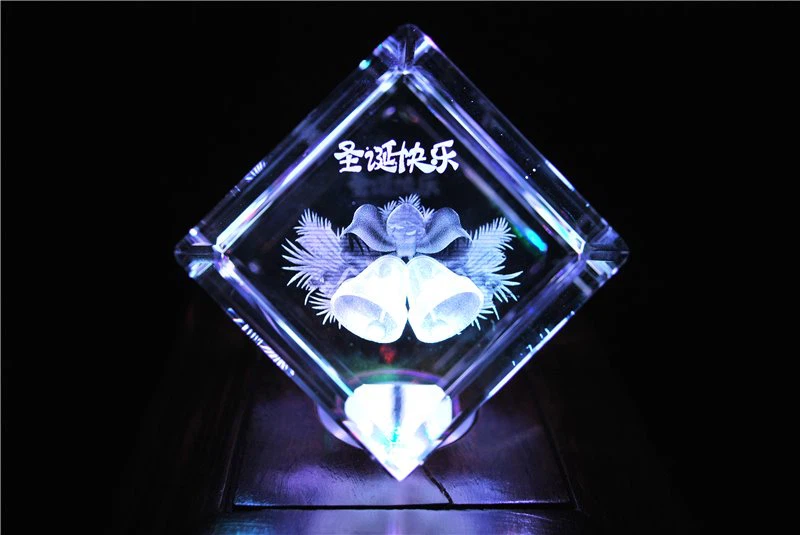
Before diving into the optimization process, it's essential to have a solid understanding of how 3D laser engraving works. Unlike traditional 2D engraving, which creates designs on a flat surface, 3D laser engraving uses a high-powered laser beam to create three-dimensional effects within the material. This is achieved by focusing the laser at different depths within the material, creating a series of micro-explosions that form the desired design.
The most common materials used in 3D laser engraving include glass, crystal, and acrylic. Each material has its own unique characteristics and requires a different approach to achieve the best results. For example, glass and crystal are more brittle than acrylic, so they require a lower laser power and a slower engraving speed to avoid cracking or shattering.
Choosing the Right Design Software
The first step in optimizing the design for 3D laser engraving is to choose the right design software. There are many different software options available, each with its own set of features and capabilities. Some of the most popular design software for 3D laser engraving include Autodesk Fusion 360, Blender, and SketchUp.
When choosing a design software, it's important to consider your level of experience and the complexity of the designs you want to create. If you're new to 3D design, you may want to start with a simpler software like SketchUp, which has a user-friendly interface and a wide range of tutorials and resources available. If you're more experienced and want to create more complex designs, you may want to consider using a more advanced software like Autodesk Fusion 360 or Blender.
Preparing Your Design for 3D Laser Engraving
Once you've chosen the right design software, the next step is to prepare your design for 3D laser engraving. This involves several important steps, including:
- Simplify Your Design: 3D laser engraving is a complex process, and the more complex your design, the more difficult it will be to engrave. To simplify your design, try to reduce the number of details and avoid using very thin lines or small text.
- Optimize Your Design for the Material: As mentioned earlier, each material has its own unique characteristics and requires a different approach to achieve the best results. Before engraving your design, make sure to optimize it for the material you're using. For example, if you're engraving on glass or crystal, you may want to use a lower laser power and a slower engraving speed to avoid cracking or shattering.
- Check the Dimensions of Your Design: It's important to make sure that the dimensions of your design are compatible with the size of the material you're using. If your design is too large, it may not fit on the material, and if it's too small, the details may not be visible.
- Convert Your Design to the Right File Format: Most 3D laser engraving machines require designs to be in a specific file format, such as STL or OBJ. Before engraving your design, make sure to convert it to the right file format.
Choosing the Right Laser Settings
Once you've prepared your design for 3D laser engraving, the next step is to choose the right laser settings. The laser settings you choose will depend on several factors, including the type of material you're using, the thickness of the material, and the complexity of the design.
Some of the most important laser settings to consider include:
- Laser Power: The laser power determines how deep the laser beam will penetrate the material. A higher laser power will result in a deeper engraving, but it may also increase the risk of cracking or shattering the material.
- Engraving Speed: The engraving speed determines how fast the laser beam will move across the material. A slower engraving speed will result in a more detailed engraving, but it will also take longer to complete.
- Frequency: The frequency determines how often the laser beam will fire. A higher frequency will result in a smoother engraving, but it may also increase the risk of overheating the material.
It's important to note that the optimal laser settings will vary depending on the specific laser engraving machine you're using. Before engraving your design, make sure to consult the user manual for your machine to determine the recommended laser settings.
Testing Your Design
Before engraving your final design, it's a good idea to test your design on a scrap piece of material. This will allow you to see how the design looks on the material and make any necessary adjustments to the laser settings or the design itself.
To test your design, simply load the scrap piece of material into the laser engraving machine and run the engraving process. Once the engraving is complete, examine the test piece to see if the design looks the way you want it to. If there are any issues, such as uneven engraving or cracking, make the necessary adjustments and test the design again.
Post-Processing Your Engraved Design
After engraving your design, the final step is to post-process the engraved piece. This involves several important steps, including:
- Cleaning the Engraved Piece: To remove any debris or dust from the engraved piece, use a soft cloth or a brush to gently clean the surface.
- Polishing the Engraved Piece: To enhance the appearance of the engraved piece, you may want to polish it using a polishing compound or a buffing wheel.
- Protecting the Engraved Piece: To protect the engraved piece from scratches and damage, you may want to apply a clear coat of paint or a protective film.
Conclusion
Optimizing the design for 3D laser engraving requires a combination of technical knowledge, creativity, and attention to detail. By following the tips and techniques outlined in this blog post, you can achieve the best results with your 3D laser engraving projects and create stunning, personalized designs that will impress your customers.
If you're interested in learning more about 3D laser engraving or if you have any questions about our products and services, please don't hesitate to contact us. We'd be happy to help you with your next project.

References
- Autodesk Fusion 360 User Manual
- Blender User Manual
- SketchUp User Manual
- 3D Laser Engraving Machine User Manual